Keep an editable copy and a finished image
Save a document copy when you want to keep working with its structure. Export PNG when you need a flattened image for a website, message or presentation. The official app also has a native .pcraft format; read the selected format before downloading.
Browser Save and Export create local downloads. They do not create a cloud backup or replace the original file automatically. Check the Downloads list and destination folder.
Download a local result
- Click inside the editor to focus its shortcuts.
- Use File → Save or Ctrl + S on Windows. With our practice PNG, this downloaded a PSD document. Check the actual format and filename; this guide has not tested native
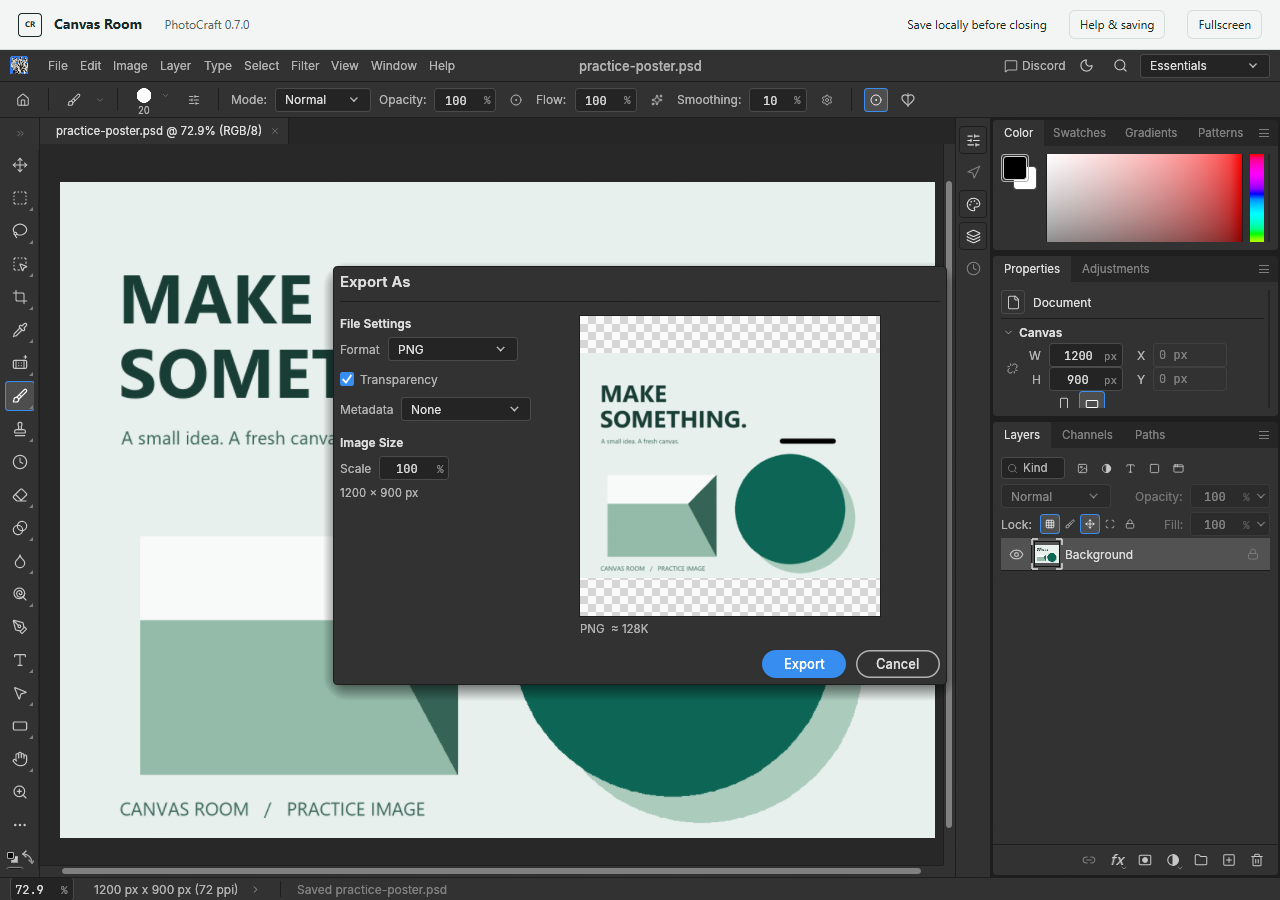
.pcraftsaving. - For a flattened image, choose File → Export → Export As, or Ctrl + Alt + Shift + W on Windows.
- Select PNG, review scale, dimensions and transparency, then click Export. Our test used 100% scale and 1200 x 900 pixels.
- Find the actual browser download. Keep the original and output separate until you have reopened and compared them.
Quick Export as PNG is another upstream command, but it was not separately tested here. The named Save and Export As workflow passed on this host; see the test record.
Reopen the actual download
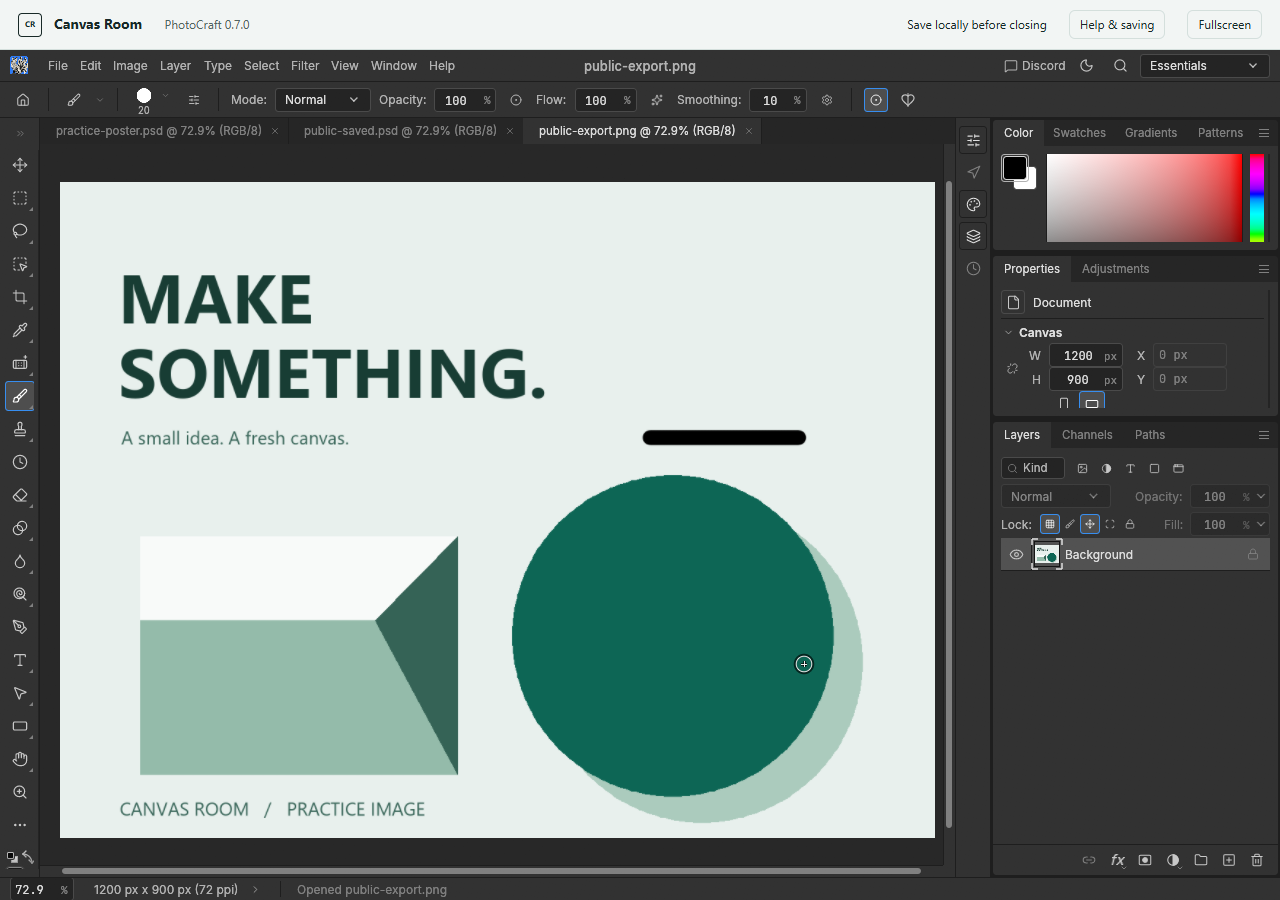
Use File → Open to reopen the output. Confirm size, orientation and the visible edit. For a layered document, inspect layer names and visibility too.
A correct flattened PNG does not prove that a saved PSD retains editable type, effects or layer structure. Compare saved documents and image exports separately.
If no output appears
Check whether the browser blocked the download or is waiting for a location prompt. Embedded editors must allow downloads; this host's editor container does.
Keep the editor open while investigating. Try a small PNG export and verify that actual file. There is no automatic web autosave to recover the session later.
Based on the official web hosting guide and v0.7.0 source documentation. Independent guidance; keep original files and verify your outputs.